FLVRecorder 4.01
Updated on 16 Feb 2012
By Anthony Buckner
By Anthony Buckner
Specifications
License:
Time-limited trial (Free to try)
Updated:
Downloads:
647
Platform:
Windows XP X64
Publisher:
StreamingStar Technology(more)
Website:
User Reviews:
Other versions:
Do you like
FLVRecorder?
FLVRecorder?
FindMySoft Editor's Review
FLVRecorder – Utility to Record FLV Video and Audio Streaming
In the software world, at least the way I see it, there are two ways of naming an application. You can – this is the first way – think of something that sounds cool and then give that name to your application. The perfect example is the Mozilla-developed Firefox browser. Firefox is a cool sounding name.
Or you can – this is the second way – think of what the application does and name it accordingly. The StreamingStar Technology Inc-developed application FLVRecorder certainly falls in this second category. By simply taking a look at the application’s name, you can immediately tell what it can do.
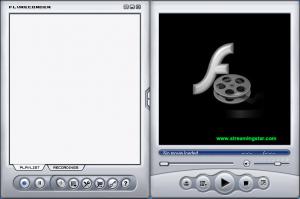
Just in case the application’s functionality isn’t as obvious as I believe it to be, I am going to spell it out for you: FLV Recorder is a Windows utility that allows you to record FLV video and audio streaming. By using this application you can record online Flash videos and online music broadcasted through the HTTP and RTMP protocol. You can then view the FLV files you recorded with FLV Recorder’s built-in FLV player.
Before you go get FLV Recorder and put it to the test, there are a few technical details you should know about. The following technical details:
Download – the download weighs in at 2.1MB, which is good news. It means that even on a less than spectacular internet connection, it will take very little time to get FLVRecorder off the web and onto your computer.
Installation – at the time of writing this and according to the developer, FLVRecorder provides support for the following Windows versions: Windows NT4.0, 98, ME, 2000, XP, Vista, and Windows 7.
Limitations – you can use FLVRecorder free of charge for a trial period of 30 days. Once that trial period is over, you will have to get a license to keep using the application.
If you want to record Flash videos from sites like YouTube, Dailymotion or Metacafe, you can easily do so with FLVRecorder.
Pros
Cons
About StreamingStar Technology Inc
Founded back in 2002, StreamingStar Technology Inc is a developer that specializes on professional software for recording streaming audio and video. Additional details on StreamingStar Technology Inc and its products are available here.
Or you can – this is the second way – think of what the application does and name it accordingly. The StreamingStar Technology Inc-developed application FLVRecorder certainly falls in this second category. By simply taking a look at the application’s name, you can immediately tell what it can do.
Just in case the application’s functionality isn’t as obvious as I believe it to be, I am going to spell it out for you: FLV Recorder is a Windows utility that allows you to record FLV video and audio streaming. By using this application you can record online Flash videos and online music broadcasted through the HTTP and RTMP protocol. You can then view the FLV files you recorded with FLV Recorder’s built-in FLV player.
Before you go get FLV Recorder and put it to the test, there are a few technical details you should know about. The following technical details:
Download – the download weighs in at 2.1MB, which is good news. It means that even on a less than spectacular internet connection, it will take very little time to get FLVRecorder off the web and onto your computer.
Installation – at the time of writing this and according to the developer, FLVRecorder provides support for the following Windows versions: Windows NT4.0, 98, ME, 2000, XP, Vista, and Windows 7.
Limitations – you can use FLVRecorder free of charge for a trial period of 30 days. Once that trial period is over, you will have to get a license to keep using the application.
If you want to record Flash videos from sites like YouTube, Dailymotion or Metacafe, you can easily do so with FLVRecorder.
Pros
- Lightweight download
- Easy to use
- Record FLV files
- Built-in FLV player
- Works with Windows 7
Cons
- Free to try (30-day trial)
About StreamingStar Technology Inc
Founded back in 2002, StreamingStar Technology Inc is a developer that specializes on professional software for recording streaming audio and video. Additional details on StreamingStar Technology Inc and its products are available here.
Do you like FLVRecorder
Advertising
Popular News
The soon to be released Samsung Galaxy S3 is shaping up to be an event bigger commercial success than its predecessor, the Samsung Galaxy S2
Linux fans once again have the chance to take part in the annual Linux Foundation T-Shirt Design Contest, now in its 3rd edition
FLVRecorder Awards
FLVRecorder Editor's Review Rating
FLVRecorder has been reviewed by George Norman on
15 Oct 2010. Based on the user interface, features and complexity, Findmysoft has rated
FLVRecorder
4
out of 5 stars, naming it ExcellentYour Rating
Top Downloads
2.
Opera5.
Trillian8.
AIM9.
Skype10.
Ad-Aware12.
Nero13.
Google Earth14.
Picasa15.
Winamp16.
iTunes17.
RealPlayer18.
uTorrent19.
eMule20.
WinRAR21.
BitComet22.
WinZip23.
Shareaza24.
CCleaner25.
Recuva26.
Tweak UI27.
CuteFTP Home29.
Adobe Reader30.
NewsPiperBecome A Fan!
Link To Us!
FLVRecorder
HTML Linking Code
HTML Linking Code
Latest Reviews